
Let the game load
Web Dashers loads automatically above. Keep the tab visible while the game downloads its assets. The first visit may take longer than a return visit. If an update notice appears, close it using its own controls to reach the menu.
Play Web Dashers online: jump into the browser-based Geometry Dash demo mod, find your timing, and take another run. The game is right below. No installer needed.
Start with a simple run. Get comfortable with the input before changing settings or exploring online levels.
Web Dashers loads automatically above. Keep the tab visible while the game downloads its assets. The first visit may take longer than a return visit. If an update notice appears, close it using its own controls to reach the menu.
Use the in-game play menu to select a main level. An early level such as Stereo Madness is a useful place to learn the basic rhythm. Save online-level browsing and editor experiments until the player responds reliably.
Click inside the game so keyboard input reaches the player. Use Space, the Up arrow, a click, or a screen tap for the main action. Begin with short presses and watch what changes when your character enters a portal.
Keep one input method for your first few attempts. The same action behaves differently in different modes.
A browser-playable, modded Geometry Dash demo with extra features. The developer describes it as a work in progress, rather than a complete replacement for the retail game.
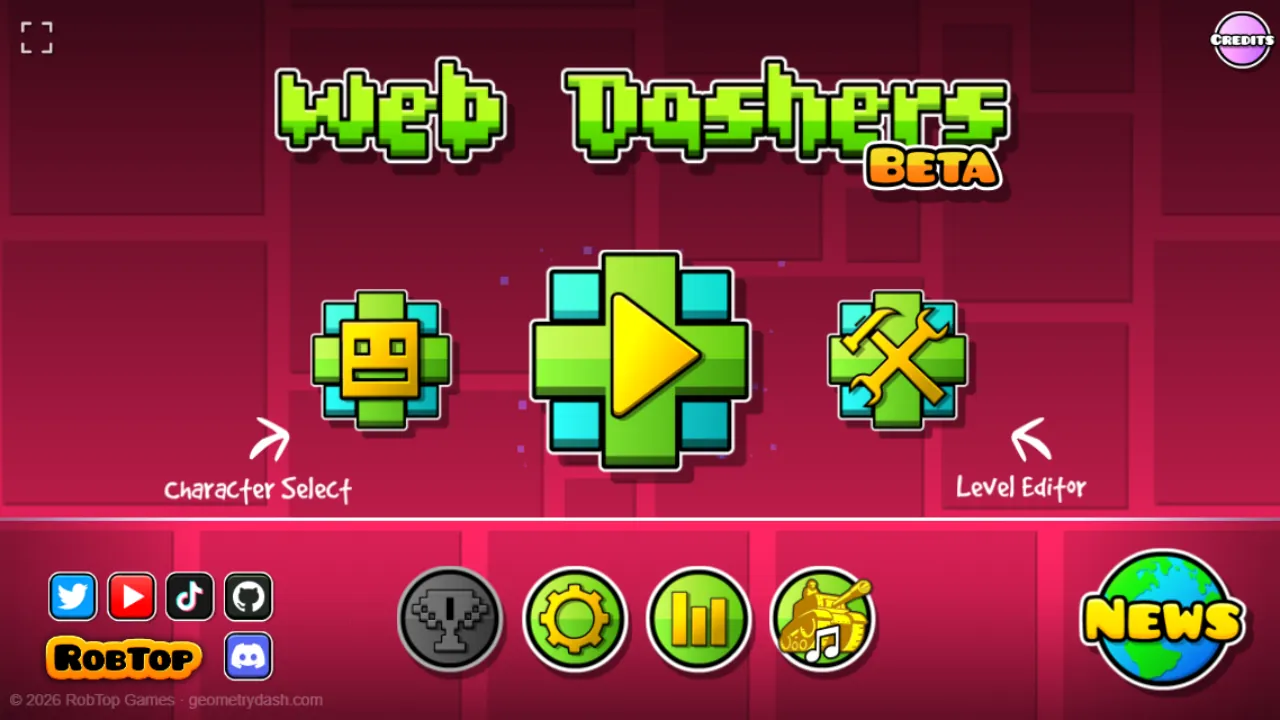
The project README lists a main menu with 2.1 levels and support for online levels. A level being available does not guarantee that every object or transition works exactly as expected. If a section behaves strangely, try a simpler main level before assuming the browser controls are broken.
The Icon Kit offers different icons and colors; the live game’s November 13, 2026 update notice lists 2.2 icons and custom icons. Extra settings include Noclip, Show Hitboxes, and level-percentage options. Treat these as ways to explore or inspect a route, not as proof that an attempt matches standard completion rules.
Practice mode, the level editor, and slope behavior remain development areas in the project notes. Animations, colors, or other objects may also differ from the original game. Expect rough edges, and avoid promising yourself that a complicated level or editor creation will work perfectly.
People searching for Webdashers, Web Dasher, or Web Dashers GitHub are often looking for the same browser project. This page embeds the original game hosted on GitHub Pages. It adds a convenient player and readable help, while the game itself continues to run on its external host.
These are the basic movement ideas to recognize when a portal changes your mode. Follow in-game help for the current build. The README lists Swing as not yet implemented, so do not assume parity with every newer Geometry Dash feature.
Look a little ahead of your character rather than directly at it. Try to connect one obstacle with one deliberate input. Music can help establish a rhythm, but visual spacing matters when your audio is delayed or a level has an unfamiliar pattern. Change your timing slightly between attempts instead of pressing faster without a plan.
A successful hold in one mode can become a mistake after a portal. Pay attention to both the press and the release. If you repeatedly collide at a transition, watch the first obstacle after it and try a shorter input. Learn that transition separately before treating the whole run as one long sequence.
Explore the practice controls offered by the current build, but remember that the developer marks practice mode as unfinished. Checkpoint behavior may have limitations. If a restart places you in an awkward situation, return to an easier section or use a normal attempt to confirm how the movement should behave.
Use the in-game pause menu for a short break. The portal’s Reload button replaces the entire iframe and can discard an attempt or unsaved editor work. Fullscreen only changes the view; it does not intentionally restart the game. Before closing a tab, check any save controls inside the game and avoid assuming automatic cloud backup.
A blank player, missing sound, and an input problem have different causes. Work through the relevant check instead of repeatedly restarting everything.
Give the first load time and keep the game tab in front. If it stays blank, check your connection and open the original game using the link beneath the player. If the source also fails, this portal cannot repair its service. A network filter or blocked third-party content can prevent an iframe from working.
Click inside the game before using keyboard controls, especially after clicking a toolbar button. The Focus game button can return focus to the frame. Close any in-game text field before testing a gameplay key. Use click or tap to compare whether the issue is focus or the game itself.
Interact with the game first: browsers may require a user action before playing audio. Check the game’s sound sliders, the browser tab’s mute setting, and your device volume. If Bluetooth sound seems late, compare with another audio output before adjusting your jump timing around the delay.
Try a current browser, close heavy background tabs, and compare fullscreen with the normal view. On a phone, rotate to landscape for a wider play area. Touch and fullscreen behavior depend on the device and browser; a responsive frame does not guarantee that every game feature supports every phone.
The useful answers before your next session.
Yes. This page loads the browser game from web-dashers.github.io automatically when you visit. Your browser still downloads the assets needed to run it, but this portal does not ask you to install an app or browser extension.
No. The developer describes it as a modded Geometry Dash demo with extra features. It remains in development and has compatibility limits. This independent portal is not an official Geometry Dash website or a full-game download service.
Browser privacy settings, extensions, or network rules can treat embedded content differently from a directly opened page. Compare the source link, check the relevant browser settings, and follow your network’s rules. If you cannot load embedded content, continue at the original address.
The game accepts touch input, but results vary by phone and browser. Try landscape, tap inside the game, and use its visible menus. If a particular feature is difficult to use, try the source directly or a desktop browser rather than assuming every mobile feature is supported.
Do not assume it will. The game controls its own storage, and browsers can separate storage for embedded and directly opened pages. Private browsing, cleared site data, or different devices may change what is retained. Check the game’s current save options before relying on persistence.
This is a normal embedded entry point, not a method for bypassing school, workplace, or other network restrictions. If access is blocked, follow the network owner’s rules. The original source link is available for ordinary troubleshooting, but it cannot guarantee access on a restricted connection.